Usage
The method in short
A wayfinder map charts an effort too big and foggy for one session.
The agent writes it under .plan/<effort>/: a map.md with the destination, the decisions so far and the fog still ahead, plus one file per ticket in tickets/.
Each session claims one ticket from the frontier (open, unclaimed, every blocker resolved), resolves it and updates the map, so the next session can orient before choosing work.
Start a map by asking your agent to run /wayfinder-maps on the effort.
The skill holds the full method, and Map format the files it writes.
The binary is read-only: it never edits the map, it shows you where the map stands.
Commands
wayfinder-maps status <effort-dir>   print the frontier and the state of the map
wayfinder-maps lint   <effort-dir>   check the map's format invariants
wayfinder-maps serve  [path]         open in a browser (local web server)
wayfinder-maps app    [path]         open in a native window
wayfinder-maps pull [flags] <owner/repo> <map-issue> [out-dir]
wayfinder-maps self-update           upgrade a release install in place
wayfinder-maps install-skill         write the matching skills into your agent skills dirs
wayfinder-maps --version             print the version
wayfinder-maps --help prints every flag.
status and lint default to the working dir.
status
What is resolved, what is in flight, and what is ready to claim, each frontier ticket marked AFK (an agent can take it) or HITL (needs you).
$ wayfinder-maps status ../expensif/.plan/daily-timeline
Daily Timeline — continuous days, empty days included
6 resolved · 0 claimed · 4 open · 0 out of scope

Frontier — ready to claim, first by number wins (0 AFK, 4 HITL):
  05  Should HandleDaily's two branches converge      grilling   HITL
  06  Contain the day-card chrome drift               grilling   HITL
  07  The infinite-scroll island's contract           grilling   HITL
  10  Test strategy for the date-indexed timeline     grilling   HITL

Undermined — resolved on a premise that later changed:
  02  Window size and how older days load             broken by 08

Fog: 5 patches, 1 anchored to a ticket
A map with implement tickets splits the counts and adds the implementation part:
$ wayfinder-maps status .plan/daily-timeline
Daily Timeline — continuous days, empty days included
Decisions:      9 resolved · 0 claimed · 0 open · 0 out of scope
Implementation: 1 resolved · 1 claimed · 2 open · 0 out of scope

Frontier — ready to claim, first by number wins (1 AFK, 0 HITL):
  14  Add the empty-day card                          implement  AFK

Implementation — in flight and shipped:
  11  Date-indexed timeline query                     https://github.com/owner/repo/pull/12
  12  Infinite-scroll island                          by worker-1

Blocked:
  15  Wire the island to the query                    waits on 12

Fog: 0 patches, 0 anchored to a ticket
lint
Does the map still tell the truth?
The map is shared memory: sessions orient to it before choosing work, and when it drifts it lies to them silently.
The skill makes most drift unrepresentable and verifies each session's delta, no tool assumed.
What a delta check cannot see is an edit made outside the protocol, or two parallel sessions taking the same ticket number.
lint is fsck for those: it runs after the fact and re-establishes the base the next session rests on.
The checks list what it reports.
Exit 0 clean, 1 errors found, 2 no map at that path.
serve and app
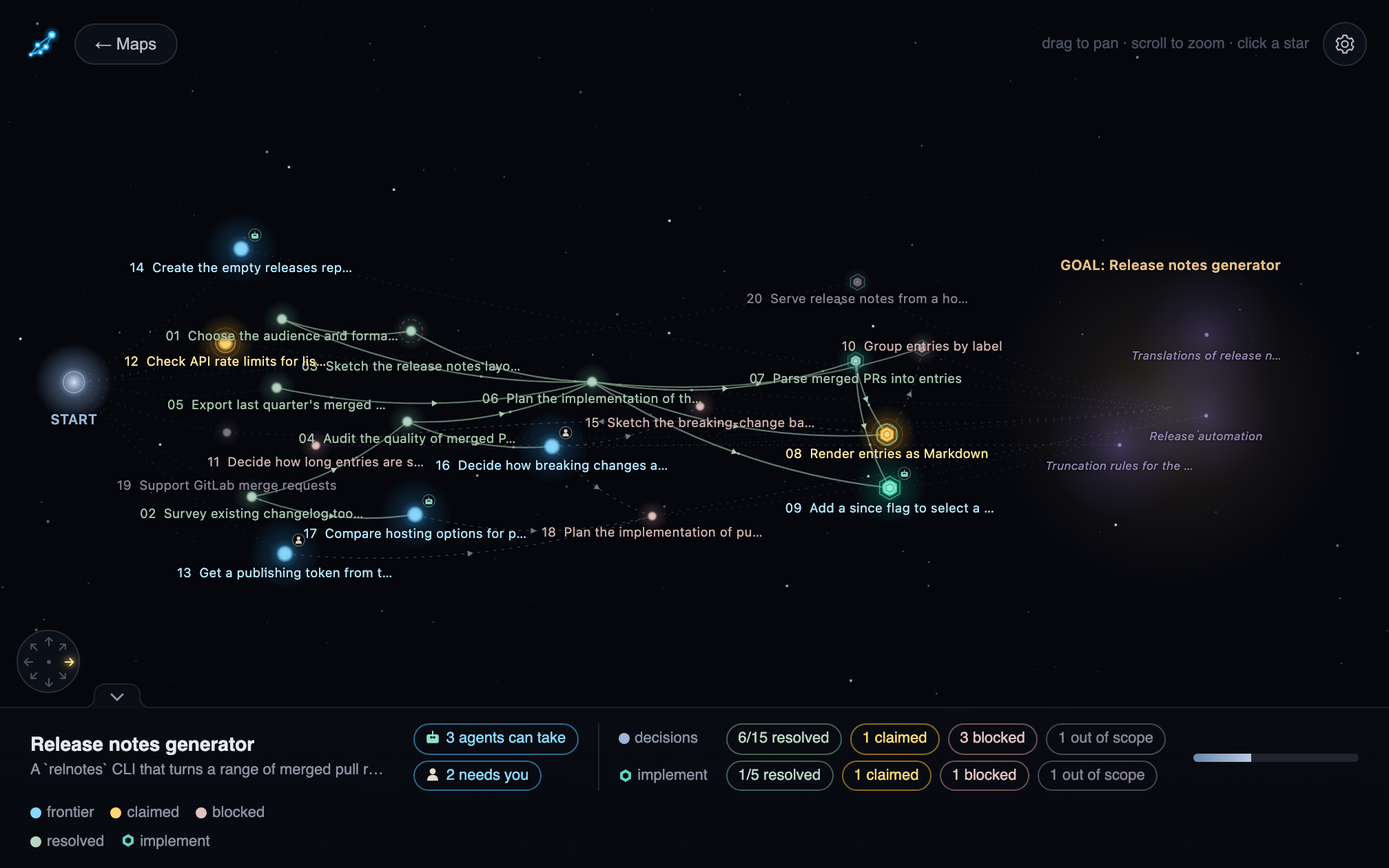
The map as a star-map, in a browser (serve) or a native window (app).
[path]is optional: an effort opens straight into its map, a project (a folder with a.plan/) into its map list.- No path shows a splash with an Open Folder button, recent maps and Open from GitHub.
servelistens on:7777(override withPORT) and re-reads the map on each request, so the viewer follows along live.appwraps the same server in a native window.
pull
Mirrors a map kept as GitHub issues into .plan/, so the commands above read it unchanged.
See Maps kept as GitHub issues.
self-update and install-skill
Keep the binary and the skills current, see Install.